Olympia

Managed self-hosted alternatives to SaaS: 75+ open-source apps on flat-rate servers, with migration.
- Category
- Our products
- Platform
- Web
Problem
Per-seat subscriptions add up, and self-hosting the alternative means running servers yourself.
Ordering a server is usually a maze of plans, regions and settings that assume you already know what you want.
Approach
Pick a flat-rate VPS or a dedicated server, then an open-source app such as Mattermost, Nextcloud or EspoCRM, and Olympia sets it up.
Ordering is one flow: choose virtual or dedicated, one of five sizes, a location and an operating system, add your SSH keys, switch on daily backups, and name and tag the machine. The order shows what it adds to your monthly bill before you confirm.
Once the machine is provisioned the root credentials are emailed to you. After that, each server has an overview, a connect tab with the SSH command to copy, and firewalls you attach to machines. A migration team moves your data out of the SaaS tool, and calculators compare per-seat costs with self-hosting.
The configurator
Ordering a server is usually a maze of plans, regions and settings. We built one flow that explains each choice in plain words, and shows what it adds to your bill before you commit.
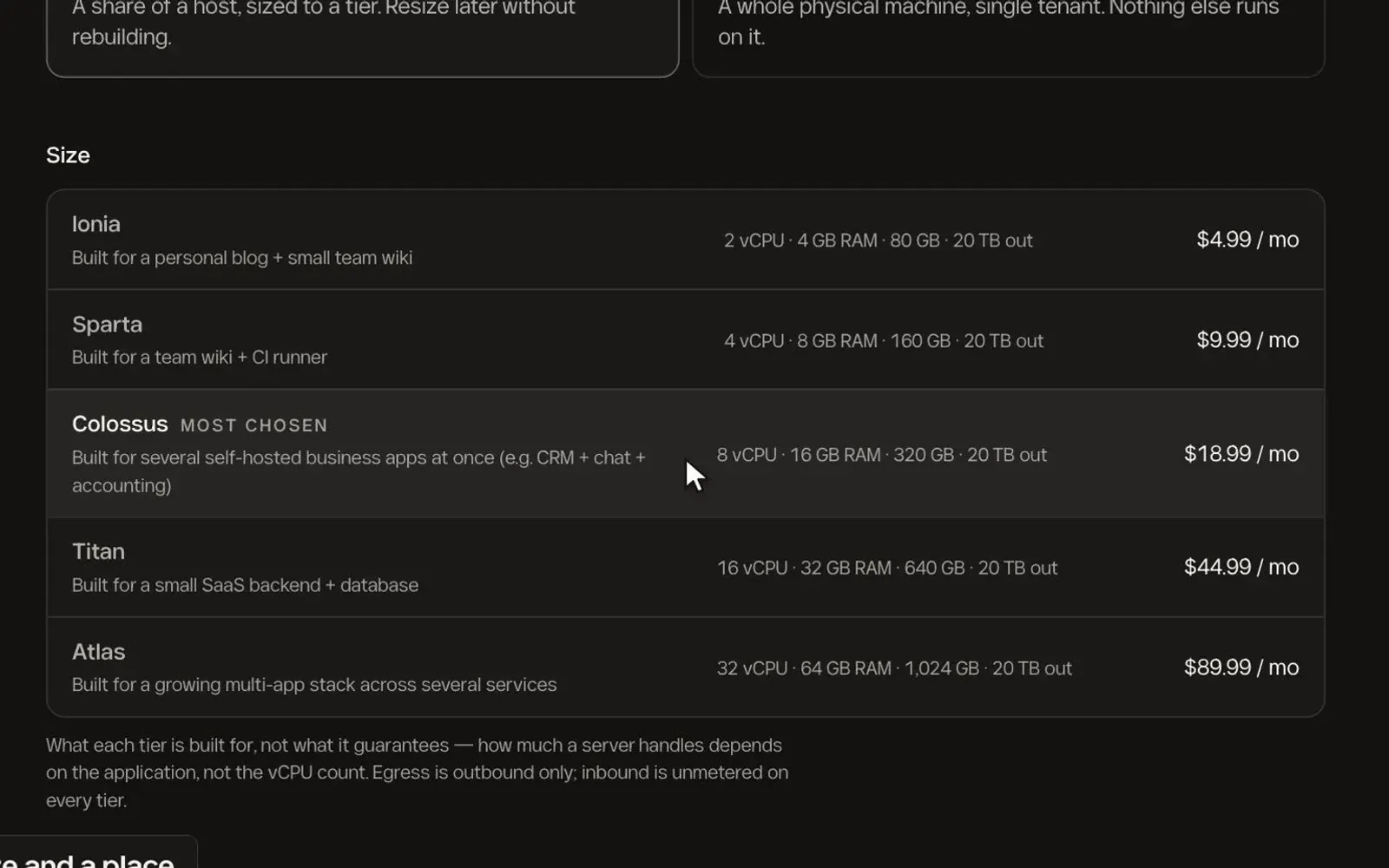
Five tiers, each described by the job it suits instead of a list of numbers, with the specification and monthly rate beside it. The most chosen is marked.
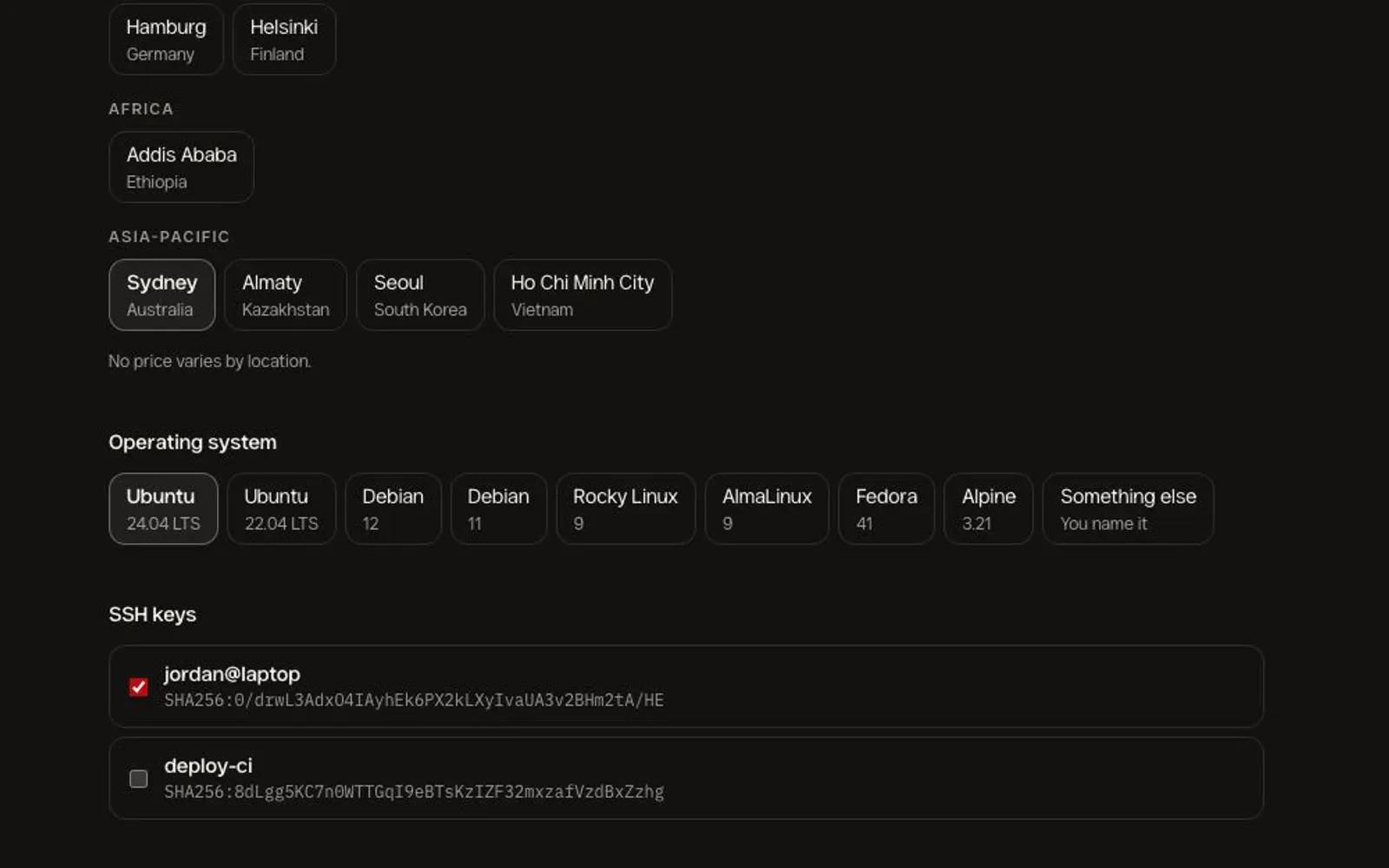
Pick a location, then an operating system from a short list, including “something else” if you need to name your own.
Keys you have saved are listed by name, so choosing who can log in is a tick box.
The order shows what the machine adds to your monthly bill as you choose, so there are no surprises after you click.
How a choice becomes a price, a bill and a server
The configurator is the front of a small billing and fulfilment system. Pick a moment on the right to see every part it touches, in order.
What the customer chooses
Pricing
Accounts and billing
Turning an order into a machine
After the order
Each choice is priced from the rate card, and the live price updates as you go.
Pick a bigger size or switch on backups and the price follows immediately, so you decide with the number in front of you.
The order is saved against your account and becomes a record, then a machine in the region you picked.
Billing reads what each customer is running and bills it monthly, specific to that customer.
Apps from the catalog go onto machines that can run them, and the console shows which.
Calculators make the case, and a migration team moves the data across.
And once it is running
A short tour of the console in the demo recording: your machines, how to log in, firewalls and software.
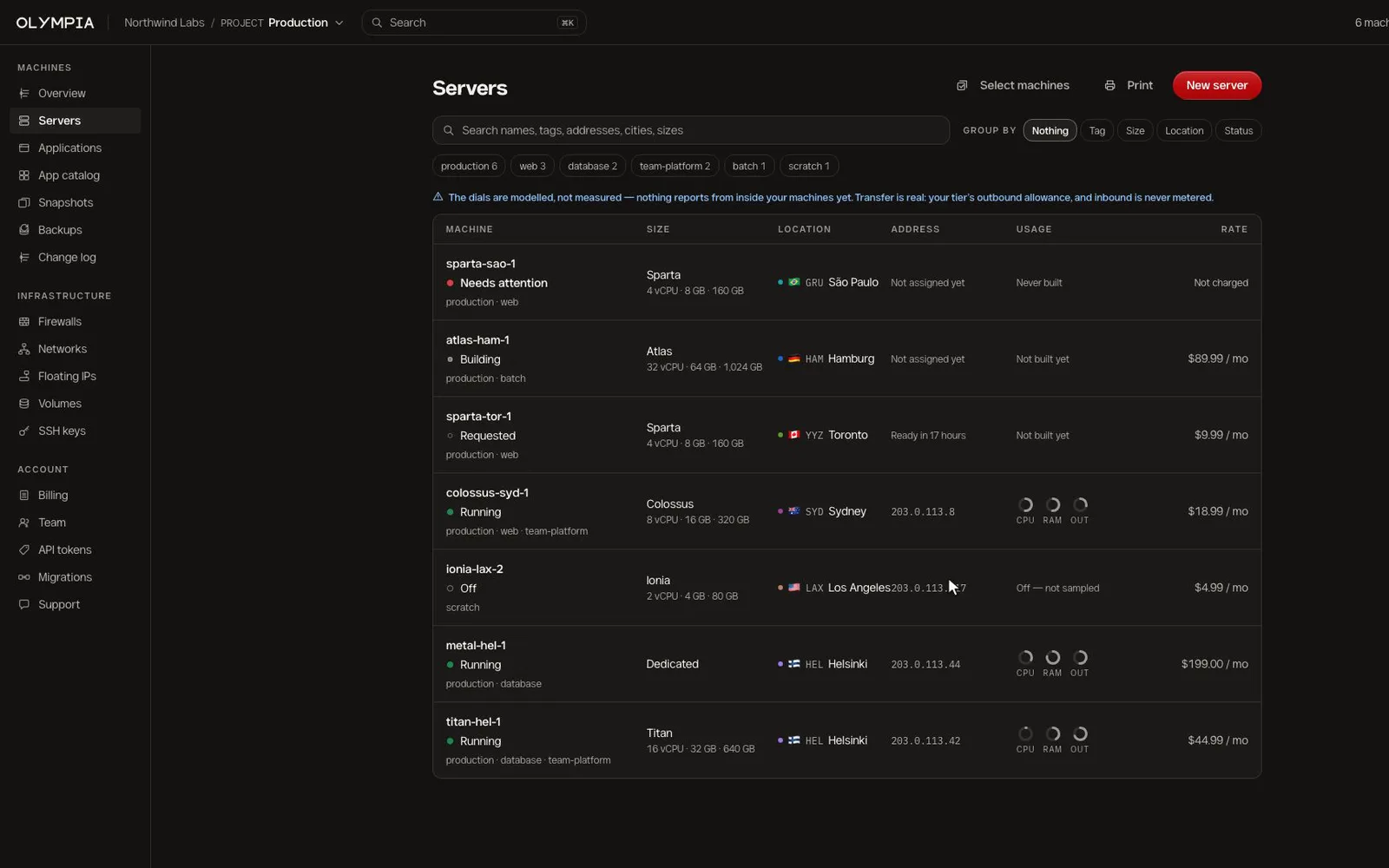
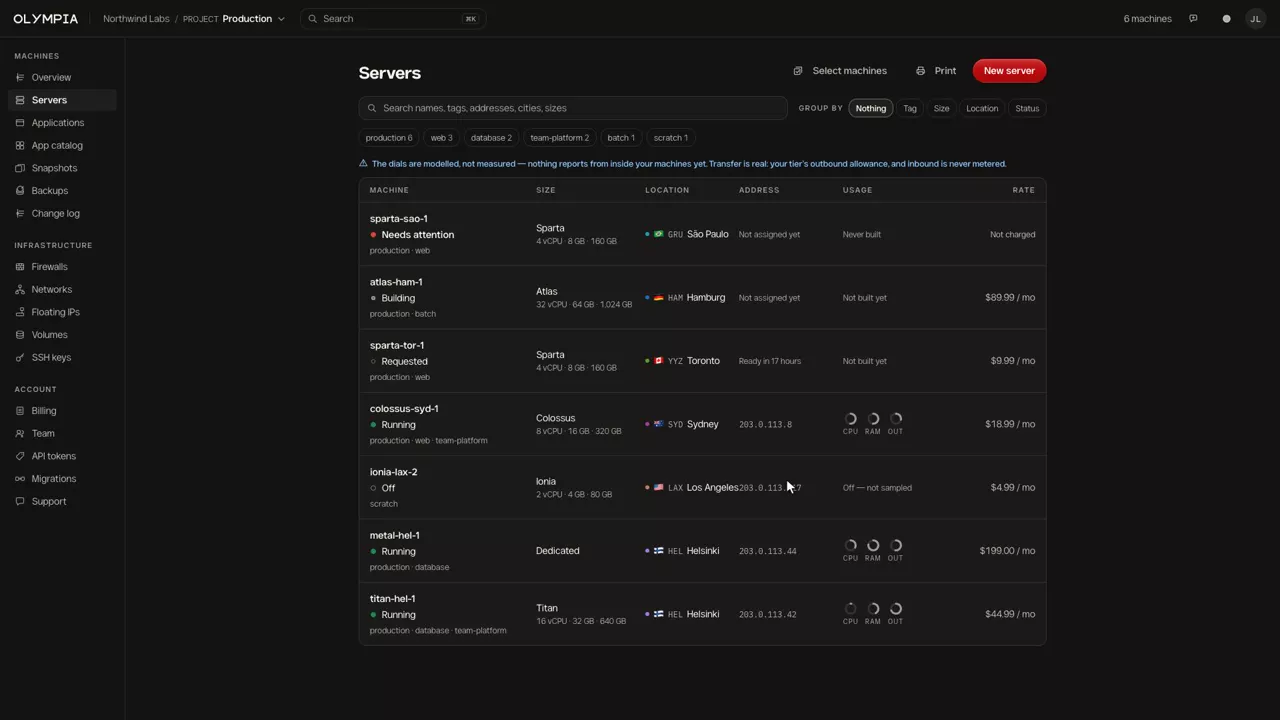
Each server shows its status, tags, size, location, address, usage and monthly rate. Search it, group it by tag, size, location or status.
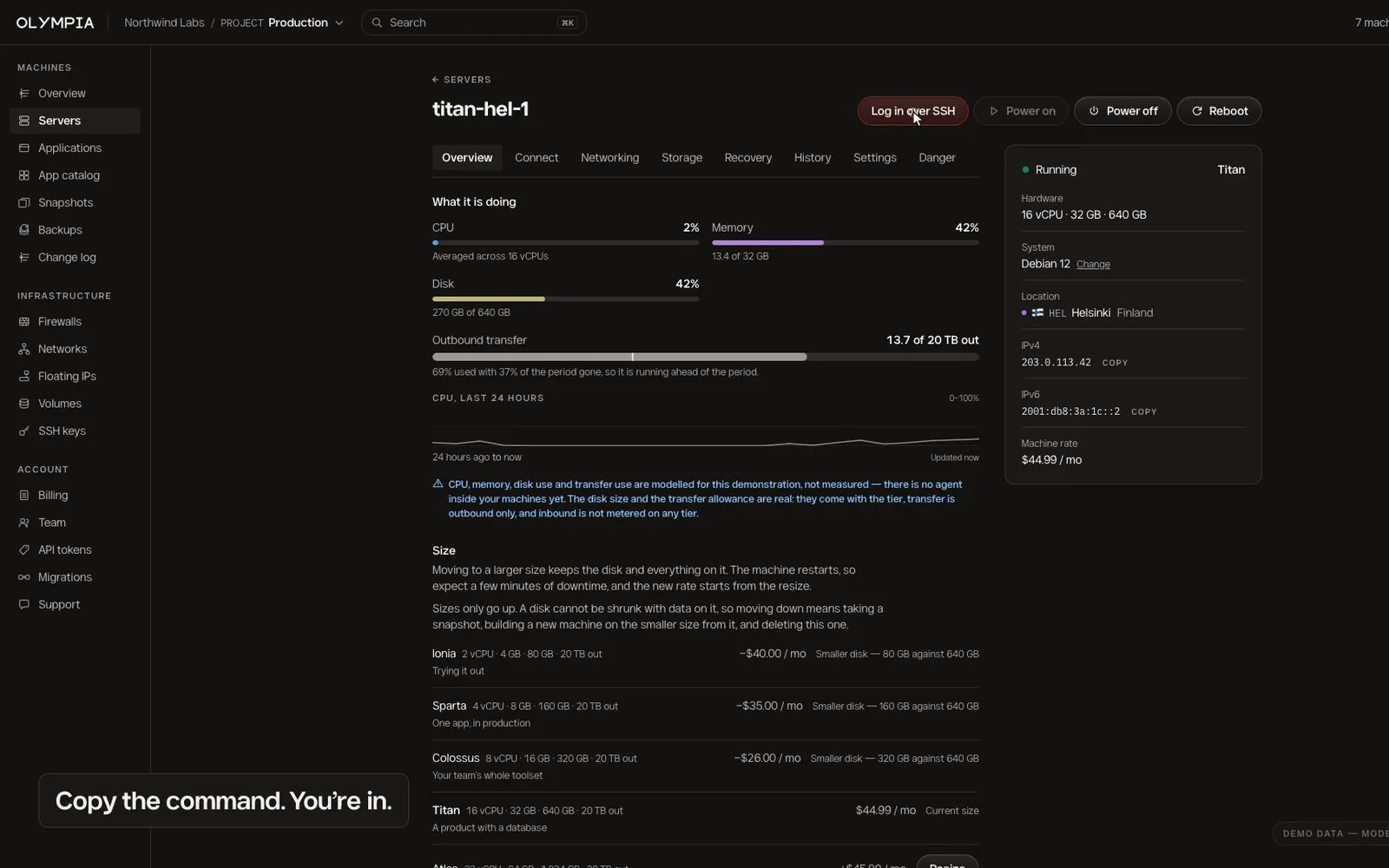
Each server has a page of its own with a button to log in, and the details you need: system, location, addresses and the monthly rate.
The console states which numbers are modelled and which are real. In this demo CPU and memory are modelled; the disk size and transfer allowance are real.
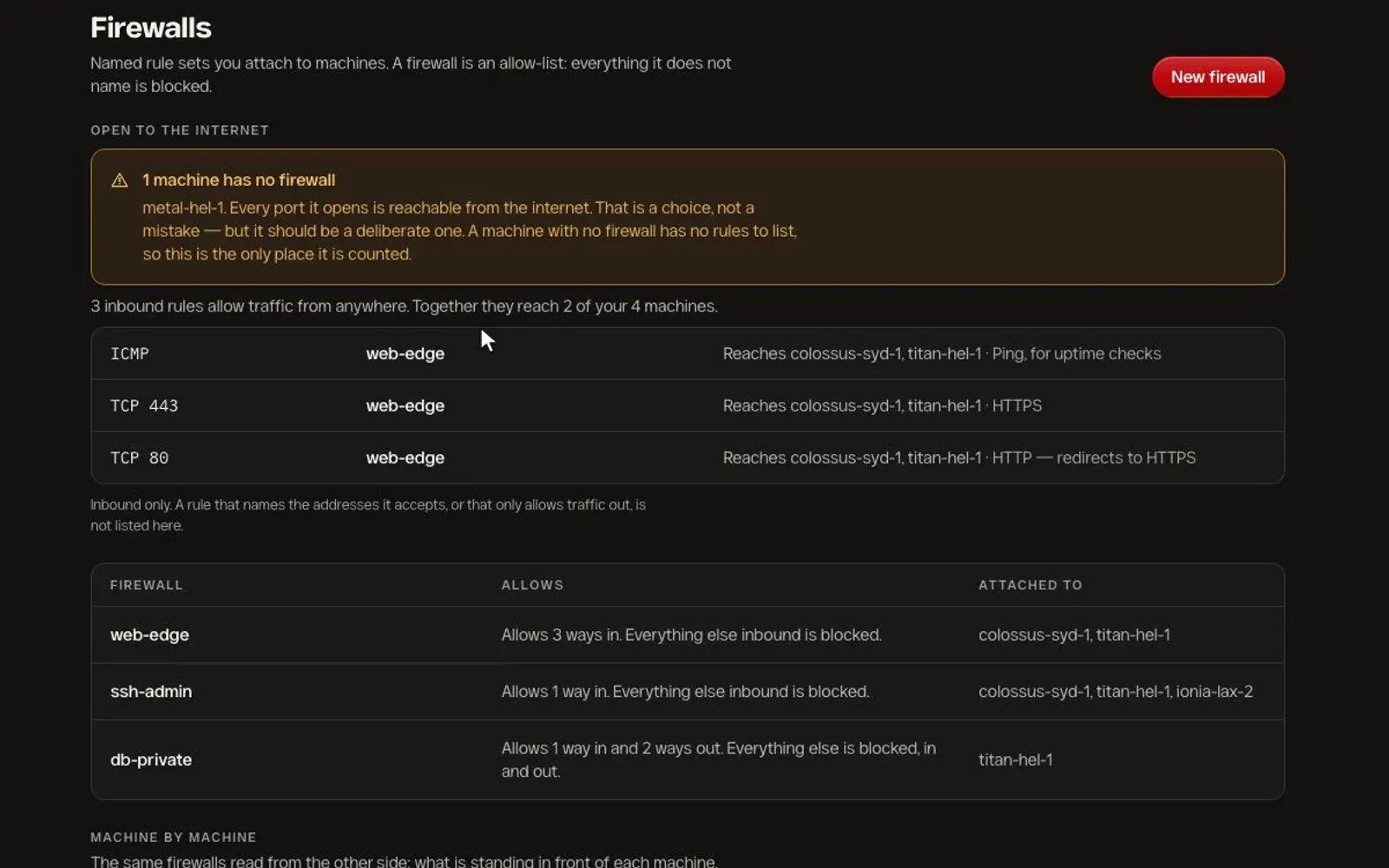
Firewalls are allow-lists attached to machines. A banner calls out any machine that has none, because every port it opens is then reachable from the internet.
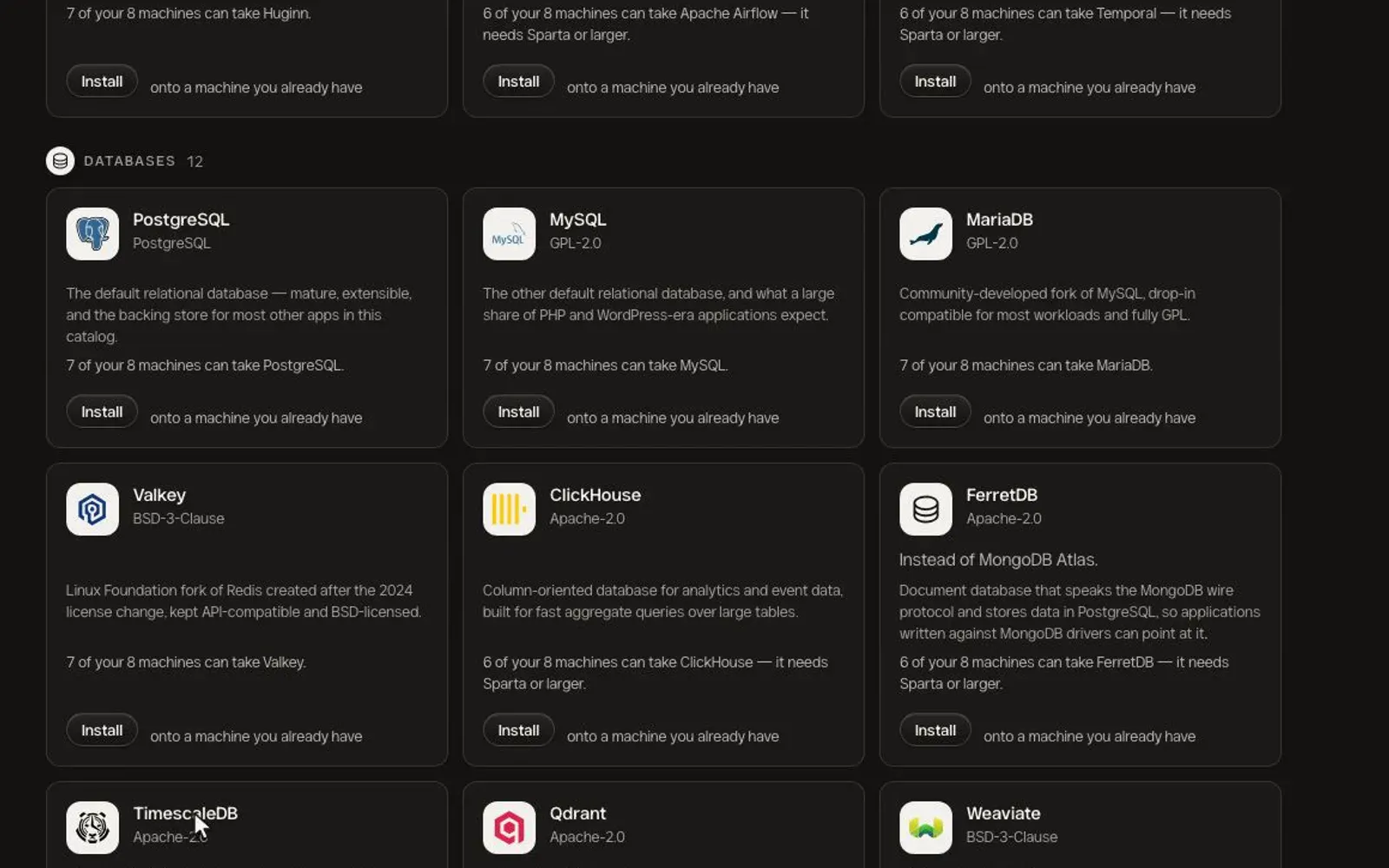
The app catalog lists open-source software by category. Each card says how many of your machines can run it and what size it needs.
What went into it
A configurator and billing system first, and a console around it.
A configurator that explains itself
Virtual or dedicated, a size described by its job, a location, an operating system and SSH keys, with backups as an option.
Pricing that follows your choices
Every option has a rate, and the order shows what it adds to your monthly bill before you confirm.
Billing per customer
Monthly billing that depends on what each customer runs, instead of one flat subscription.
Orders you can follow
Every machine moves through visible states, so a customer always knows where an order is.
Honest numbers
The console says which figures are modelled and which are measured, instead of drawing dials that imply a monitoring agent that is not there.
Software on top
An app catalog with fit checks, firewalls as an allow-list, and a migration team for moving off SaaS.
Outcome
Live at olympia.so, with servers in 12 regions. The demo above walks through ordering a server and opening a connection to it.
See it live
Next project
Street